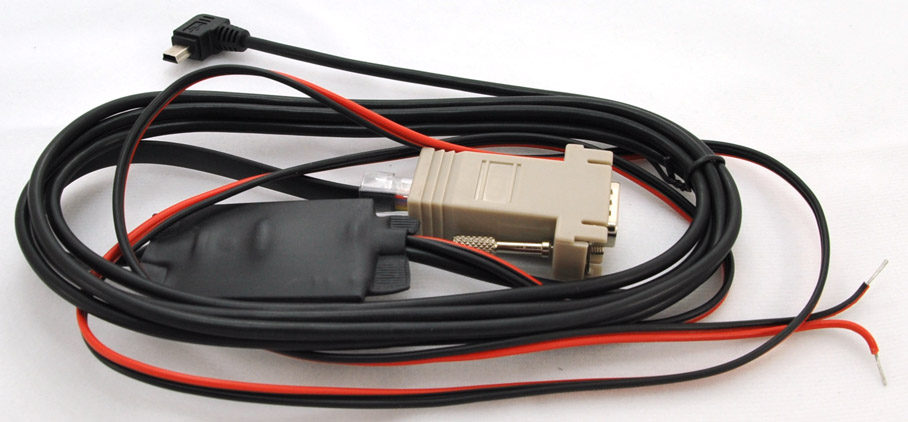
|
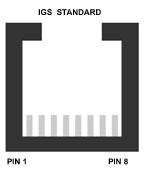
Warning Make
sure you check the pins do not rely on the colors
A WRONG
CONNECTION WILL LET THE SMOKE OUT!!!!!!
- RJ45 Wiring on
power adaptor
- Pin 1 (red wire): +12V
- Pin 2 (blue wire): +12V
- Pin 3 (pink wire): not used
- Pin 4 (grey wire): not used
- Pin 5 (yellow wire): receive at Oudie
- Pin 6 (green wire): transmit from
Oudie
- Pin 7 (brown wire): ground
- Pin 8 (white wire): ground

|
Adapter, RJ45 to DB-9m
This is a configurable adapter that can be used to connect the Oudie
Power/data cable to a variety of soaring instruments. Simply push the pins
into the receptacles on the DB-9m connector and snap the connector into the
housing.
Important:
!!!!!!
Make sure the unused wires cannot short together. Don't just Cut them off
they may short and cause smoke. Put shrink tubing over the connectors on
the unused pins. Adapter Connections for
Cambridge 302 or GPS-NAV SEE Oudie Manual for Pinouts
12V power leads on the cable must be powered. The 5V power from the 302 or
GPS-NAV is not used.
Important:
!!!!!!
Make sure the unused wires cannot short together. Don't just Cut them off
they may short and cause smoke. Put shrink tubing over the connectors on
the unused pins. |

 Many credit cards
charge 3% international transaction fees. International Customers can save
this expense by paying by EFT or wire transfer.
Please email
Craggy Aero the order and we will send you an invoice with the transfer
information.
Many credit cards
charge 3% international transaction fees. International Customers can save
this expense by paying by EFT or wire transfer.
Please email
Craggy Aero the order and we will send you an invoice with the transfer
information.